
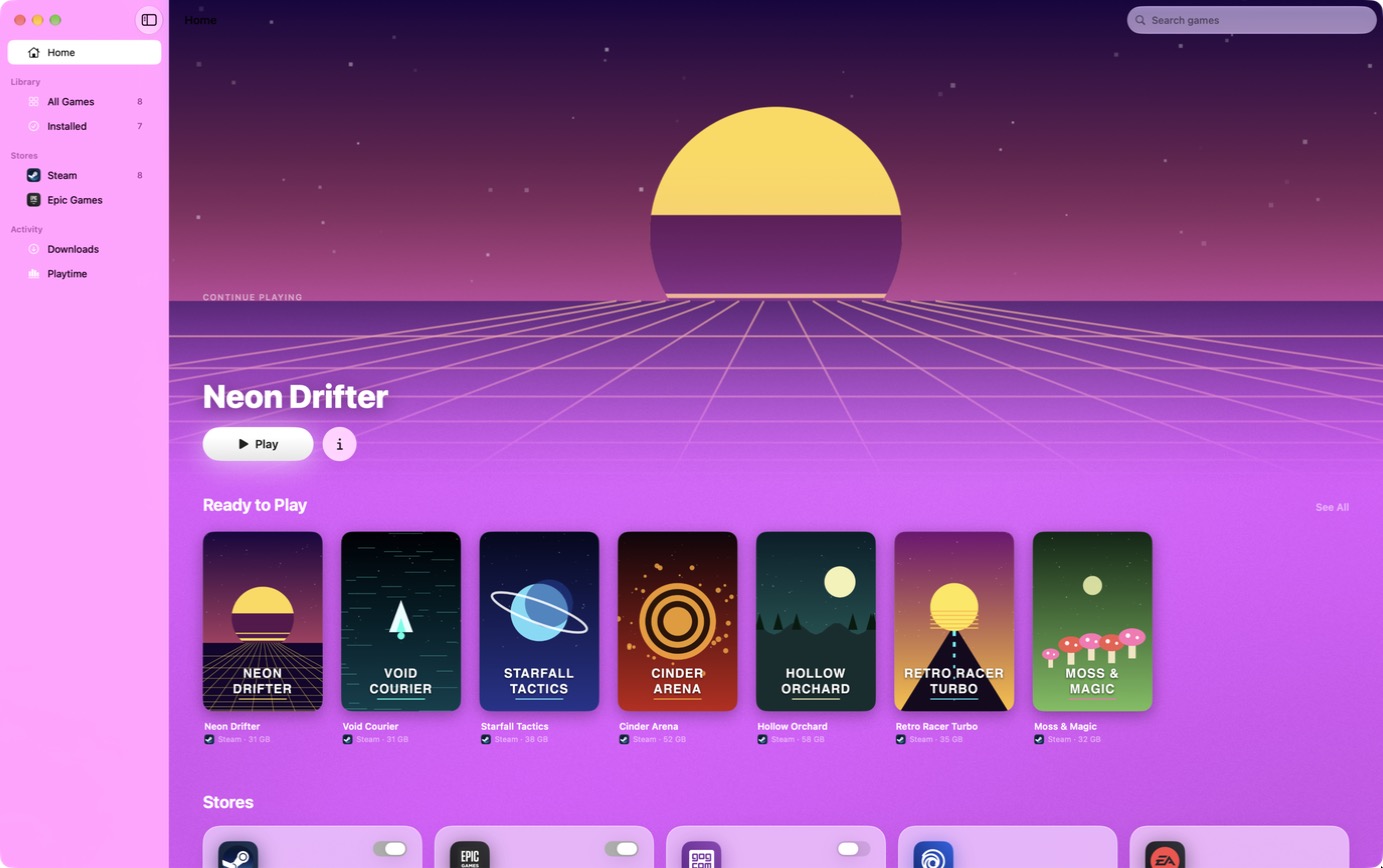
A more attractive launcher does not automatically make a Windows game compatible with macOS. That distinction is the most useful starting point for MaPC, a public beta introduced on Abduzeedo on October 16, 2026. Made by Steale LLC, the project approaches PC gaming on a Mac as a product-design problem: reduce the amount of technical housekeeping between choosing a game and trying to play it.
This is an explainer based on the developer’s documentation, not a hands-on performance review. We have not measured frame rates or verified individual games on a Mac. The announcement is also a first-party account from the people behind the project, rather than an independent test.
The chronology matters: the first public release appeared on October 12, and version 1.0.9 followed on October 17. The October 16 article is therefore not the beta’s launch date. As of our October 18 check, 1.0.9 is the current listed release.
A Mac interface around compatibility technology
MaPC’s interface uses SwiftUI, with familiar macOS window behaviour and light and dark appearances. Its Magazine and Panels layouts offer different ways to browse a library; game artwork supplies the colours around individual game pages. That makes the launcher itself a native Mac application. It does not turn the Windows games inside it into native Mac ports.
Underneath, MaPC relies on Wine and graphics translation components including DXVK and MoltenVK. Its value proposition is arranging that machinery for the player. Settings and compatibility layers still exist, even when the interface saves a user from configuring them manually.
A cleaner front end changes the experience of troubleshooting, not the underlying limits of compatibility.
Check your Mac and your library first
The published requirements are Apple Silicon, starting with M1, macOS 15 or later and Rosetta 2. Steam, Epic Games and GOG are the supported library connections advertised on the product site. Intel Macs are excluded. Ubisoft Connect and EA app remain marked as coming soon because their launchers are not yet reliable, even though their names appear in the source repository.
For a reader, the sensible question is therefore narrower than “Can my Mac play PC games?” It is whether this particular game, through this particular launcher, works on this particular Mac. A store connection is not a compatibility certificate for everything sold in that store.
DirectX 12 is a separate, experimental path
The ordinary setup targets DirectX 9, 10 and 11. DirectX 12 requires an advanced option using Apple’s D3DMetal from a separately obtained Game Porting Toolkit. MaPC does not bundle Apple’s software, and paying for Pro does not unlock DirectX 12.
The developer warns that this path is experimental and subject to Apple’s own licence. A DirectX 12 label or a D3DMetal setting is consequently not a promise that a game will launch correctly. Nor should a screenshot of a graphics option be read as proof that every game supports that effect.
Free gameplay features, optional conveniences
According to the published terms, the app is free to use. Optional support starts at US$4.99 as a one-time purchase, unlocking conveniences such as save backups, statistics and launch shortcuts.
Higher support tiers do not buy a different compatibility level. The current purchase covers extras in the 1.x versions on up to five Macs; a future major version may be sold separately.
That separation is important when evaluating the beta. Payment should follow a decision about the additional conveniences, not an assumption that it repairs an incompatible game. Keep an independent copy of valuable saves when experimenting.
Open code does not mean the entire app is open
The game-running core, MacadeKit, is published on GitHub. The interface and licensing code are not included. Third-party components retain their own licences. Developers can inspect game-specific fixes and backend choices without confusing access to the engine with ownership of the complete product.
The changelog also shows active iteration: recent updates address Epic’s initial setup, controller compatibility and update handling. These are useful signs of ongoing work, not evidence that every earlier problem has disappeared.
What remains unproven
MaPC’s beta licence offers no guarantee for a particular game. Its documentation explicitly warns about kernel-level anti-cheat, while the privacy policy says store tokens remain locally and describes connections to download, store and licensing services. These are the developer’s published statements, not an independent security audit.
The promising idea is a less intimidating route into an existing Windows library. The fair test is a repeatable play session, not simply reaching a title screen: loading saves, using controls and returning after an update all matter. Until those checks are made for a chosen game, MaPC is best understood as an interesting compatibility tool in development, not a replacement for a gaming PC.
Comments